 3 waiting on you
A company is a map.
Cells for the businesses and departments. Under each, its pipelines: lines of stages a release, a ticket or a candidate moves along.
The waitlist is open
Run a company of agents from one map. Put them on pipelines, watch the work move stage to stage, and decide only where a human must.
One email when SoloINC is ready for you to install. Nothing else. Privacy.
How a company runs
Cells for the businesses and departments. Under each, its pipelines: lines of stages a release, a ticket or a candidate moves along.
Each stage is worked by an agent on your own machine, under the operating system's sandbox, delivering the document that stage produces.
What needs a person arrives as a memo, with the documents behind it. Nothing before the Desk asks you.
The console
Every box opens a panel. Nothing lives on a screen the map cannot reach.
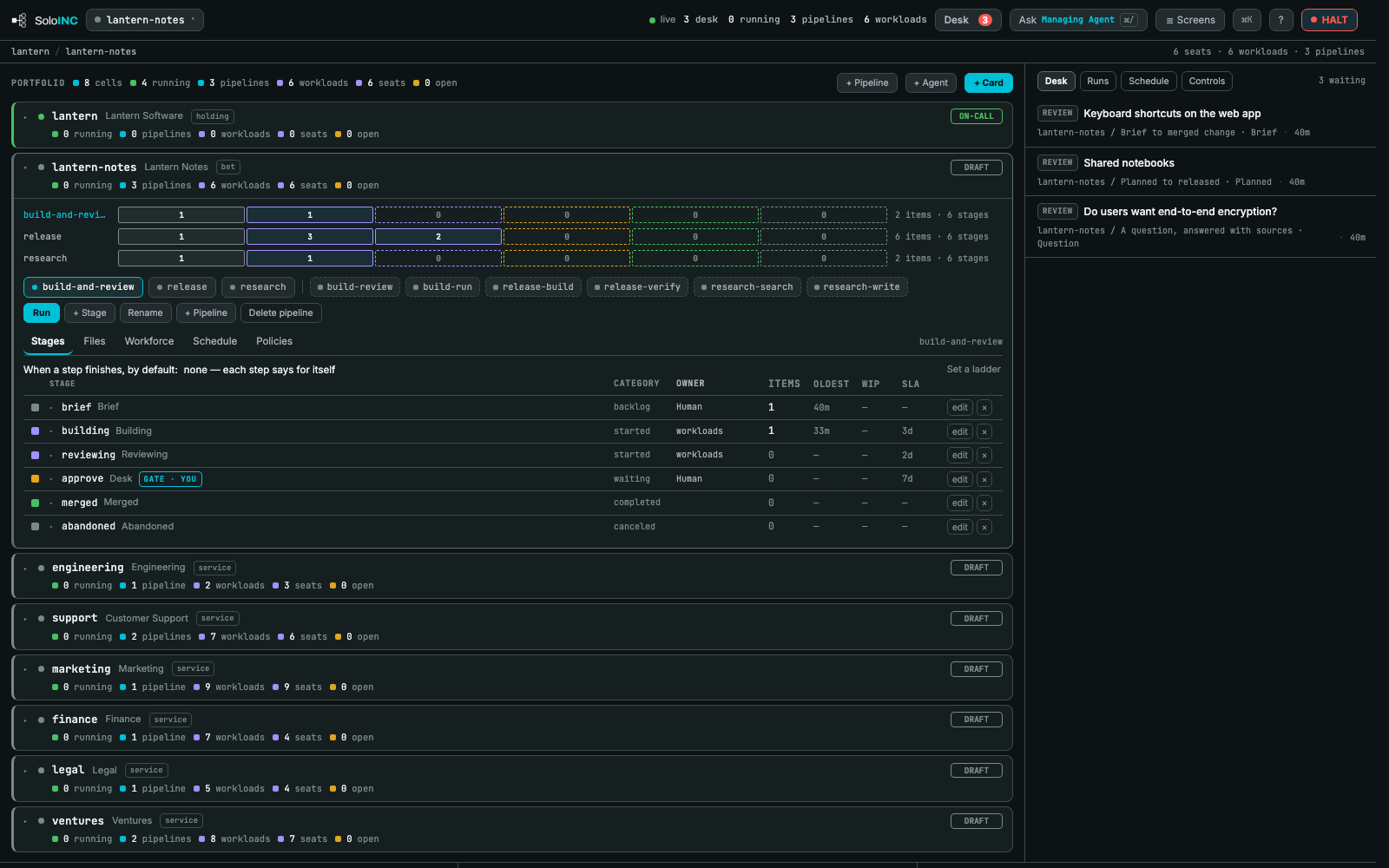
Every cell as a box, each cell's pipelines and workloads under it, the stages as a row you can press. The portfolio at a glance, and every count one click from its cause.
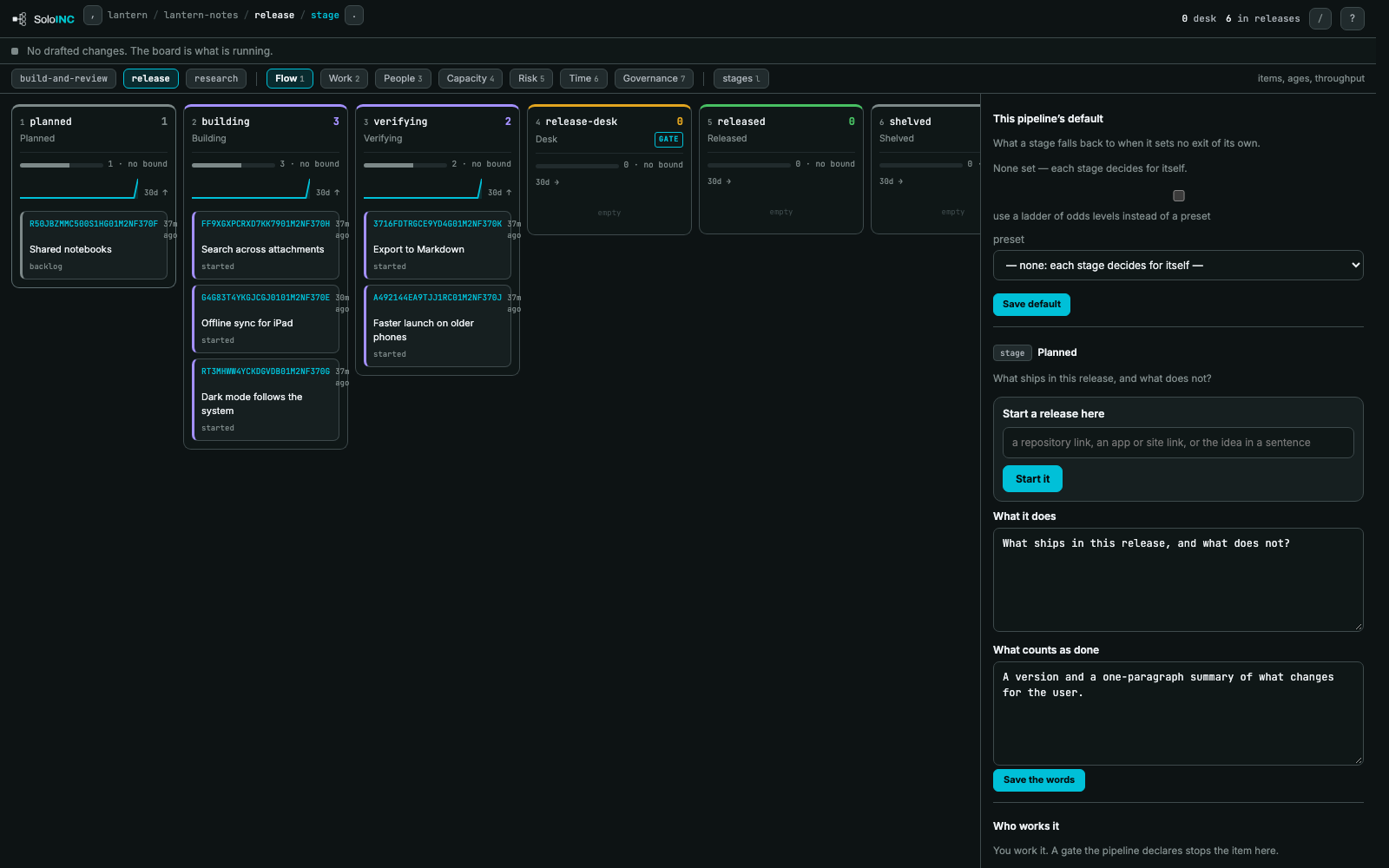
A pipeline is one file: stages, the verbs between them, who answers for each, what each needs and produces. The map draws exactly what the file says. Items enter at the left and leave at the right.
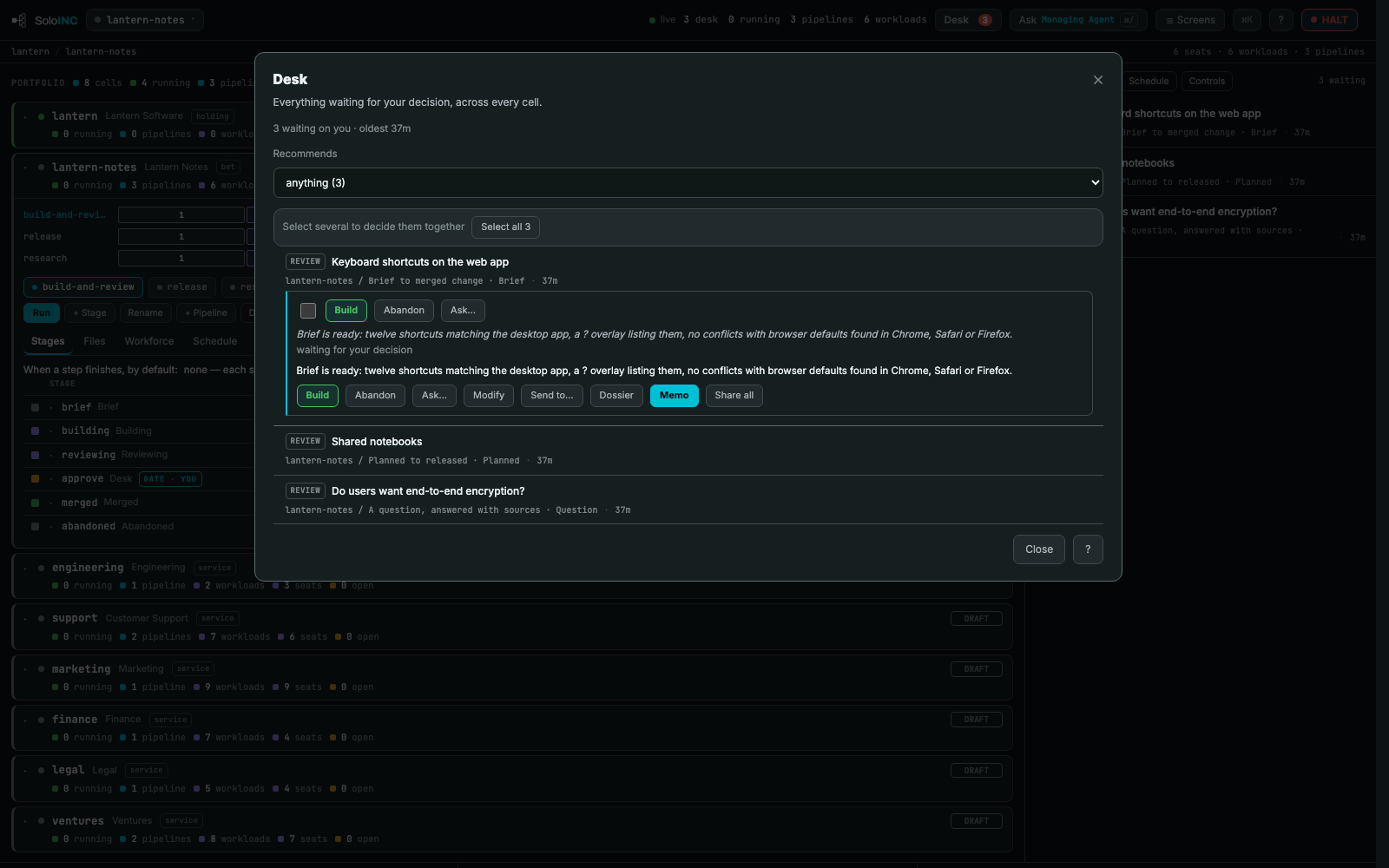
What waits on a person, and only that. Approve, send back with a question, modify, or open the dossier. The Desk app on Android shows the same cards from anywhere.
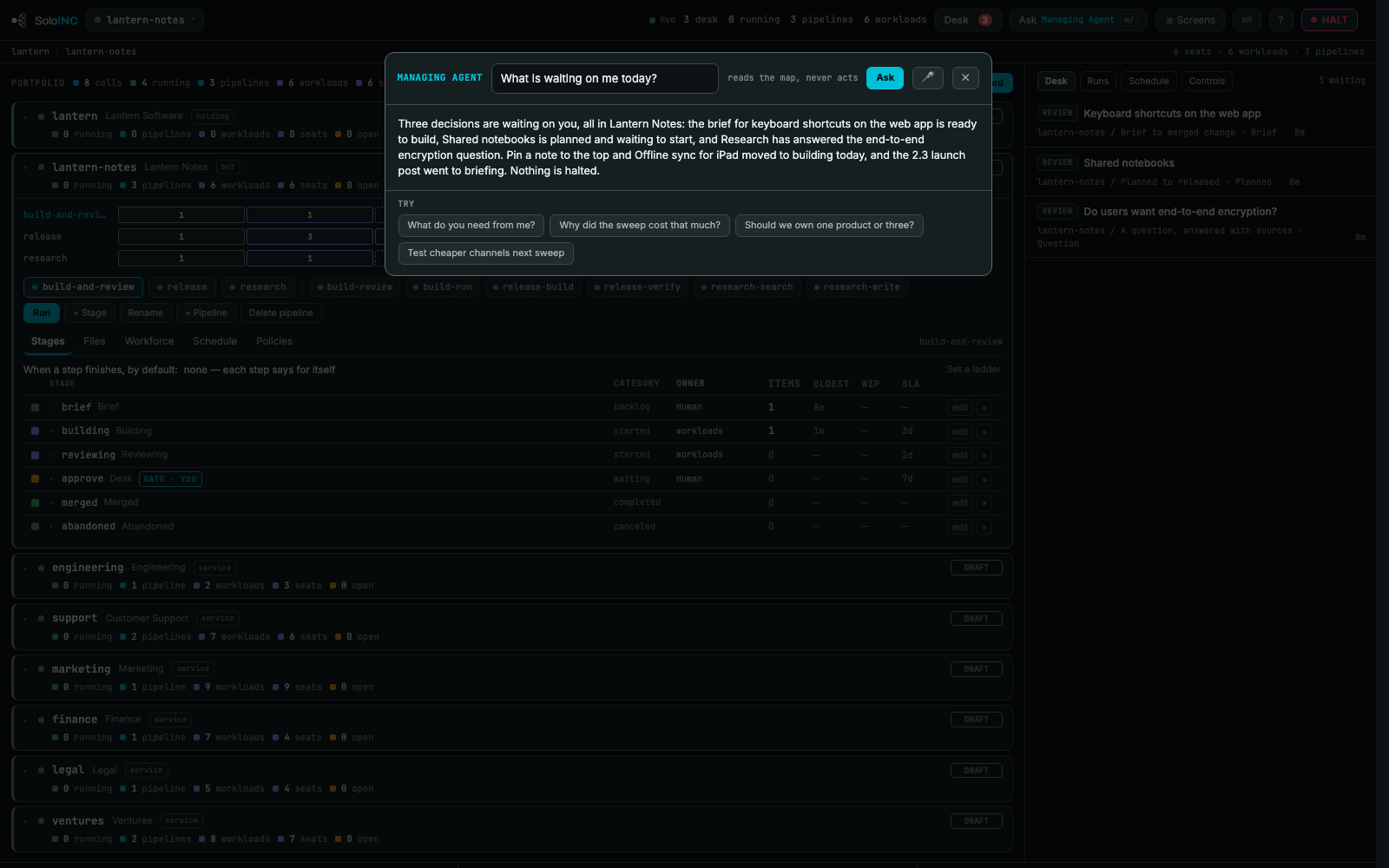
Ask the Managing Agent from any screen. “What is waiting on me today?” Nothing moves because of a sentence: a decision still goes through the Desk.
Every console action on the audit log: who did it, what it changed and what it was before. Each cell's checkout and ledger is a git repository on your own disk.
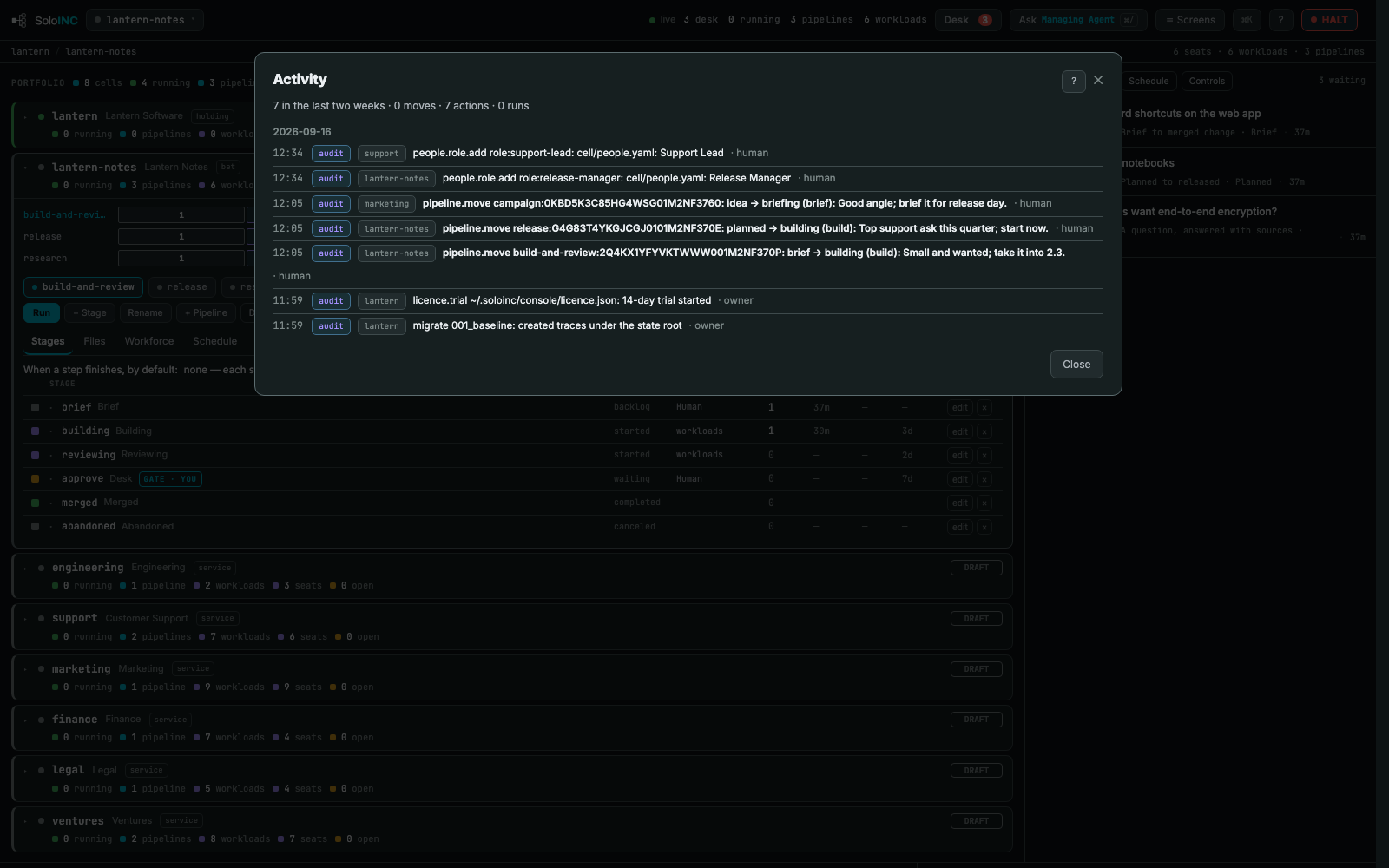
The console's own screens, on a fictional company.
Pipelines as code
Starter pipelines ship with Core. Onboarding offers five company templates, a software product company, a client services studio, a content and media business, a holding company and an online store, and hires an agent for every stage their pipelines call for.
Pro adds a catalog of more than three hundred ready-made steps. The release starter, counted →
id: release
stages:
  - id: planned      # owner: human
  - id: building     # run: release-build   produces: notes.md
  - id: verifying    # run: release-verify  produces: verification.md
  - id: release-desk # gate: the Desk
transitions:
  - {from: planned,      to: building,     verb: build,   gate: human}
  - {from: building,     to: verifying,    verb: verify,  gate: agent}
  - {from: verifying,    to: release-desk, verb: submit,  gate: agent}
  - {from: release-desk, to: released,     verb: release, gate: human}
What it refuses to do
Those acts stay with the one human. Every workload runs under the operating system's sandbox, from a settings file it can read but not edit: no write outside its ledger, default-deny egress, no reach to the console or its state.
Bring the agents you already have. An imported agent starts untrusted: read-only tools, no MCP servers, no schedule, no memory, until you promote it. Kill switches stop an agent, a stage, a pipeline, a cell or everything.
The boundary is the operating system, not a prompt. Every concern, and what the product does about each →
Models
Nothing metered until you say so. Choose which channels work runs on, and in what order, in one company-wide setting.
The default. Metered by allowance, never by money.
Ollama, MLX, llama.cpp, vLLM, LM Studio, run by SoloINC's native runtime. No Claude Code needed.
OpenAI, Gemini, OpenRouter, Anthropic's API, billed to your own account, only once the API switch is on.
Trust
Core and Pro
The console, the pipeline engine, the runtime, the starter pipelines and the demo company. Runs a company end to end.

A 14-day trial starts at first run. Checkout is by Paddle; refunds within 14 days.
Not unless you tell it to. By default a workload runs on your Claude Code seat, metered by its allowance, never by money. A local engine costs nothing either. The API switch, metered providers and every funded account are yours to turn on.
Every workload runs under the operating system's sandbox with a settings file it cannot edit; the acts the contract reserves, spending, signing, publishing, contacting a real person, are not available to it. What reaches you arrives on the Desk.
On your machine: the console's state, and each cell's checkout and ledger as git repositories you can read. The Desk app reads an encrypted copy of the Desk that the engine publishes to your own edge account.
Yes. A workload runs on your Claude Code seat through the claude binary, or on SoloINC's own native runtime, which needs no Claude Code and runs on a provider key or a local engine. Both run in the same sandbox.
A Mac on macOS 14 or newer, or a PC on Windows 10 or 11, and something to think with: a Claude Code sign-in, a provider's API key, or a model on your own hardware. Nothing in the product asks you to open a terminal.
No. SoloINC installs on macOS and Windows; the Desk and Team apps run on Android.
We keep your address and write once, when SoloINC is ready for you to install. Nothing else, and you can ask us to delete it at support@soloinc.ai.
8086 LLC, a small New York software company.

Leave an address. We write once, when SoloINC is ready for you to install.
We store your address and nothing else about you. Privacy.